Created 27 October 15
Last Update 27 October 15
High Resolution Yes
Layered Yes
Graphics Files Included Photoshop PSD
Minimum Adobe CS Version CS5
Pixel Dimensions 1920x8960
Tags agency, blog, business, clean, corporate, creative, elegant, minimal, modern, multipurpose, portfolio, professional, psd template, responsive
Package Tracking Service

Porton | Design-Driven Multipurpose PSD TFx
Reviewed by Fxtheme
Rating : 8.4/10 .

Porton | Design-Driven Multipurpose PSD

Thank you for purchasing Porton | Design-Driven Multipurpose PSD Template. If you have any questions that are beyond the scope of this help file, please feel free to email me on Fxtheme. Thanks so much!

Introduction:

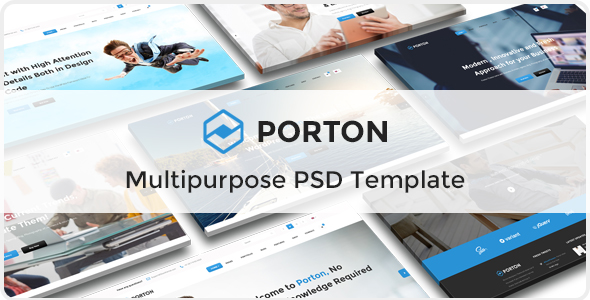
Porton is the Design-Driven Multipurpose PSD. It is clean, super flexible, responsive, pixel perfect and comes packed with powerful options! This multi-purpose PSD template sets the new standard with endless possibilities, top-notch support, and free lifetime updates with newly requested features from our users. There are 10 elegant homepage designs with comprehensive layouts and it is perfect fit for business, agency, corporate, portfolio, freelancers, technology and any types of businesses. And we planned to more home pages and useful pages, so keep follow us..

Porton Features:
  • 1170px bootstrap Grid System
  • 63 Layered PSD files
  • 10 Elegant Header Examples
  • 4+ Different Portfolio Styles with more than 20+ pages
  • 4+ Different Blog Styles with more than 15+ pages
  • Awesome Homepage designs
  • Creative Design
  • Pixel Perfect.
  • Fully Customizable.
  • Free Google Fonts.
  • Retina Ready.
  • Free Font Based Icons.
  • Great Support 24/7.
  • Easy to find the files name, folder, layers, goups.
  • And many more… Credits: Font Used:

    1) Montserrat 2) Open Sans

    Images & Mockups:

    All images are just used for preview purpose only and NOT included in the final purchase files.

    1) Picjumbo 2) Photodune 3) Nothingtochance 4) Shutterstock 5) Unsplash 6) Dribbble 7) Freebiesbug Behance

    Icons: Font Awesome (http://fontawesome.io/) and http://freebiesbug.fxtheme.com/ How to Edit PSD File: In order to edit the file, you need to have Adobe Photoshop installed on your system, and the fonts mentioned in the credits installed. As you can see on the right, the layers are well organized and grouped into folders, which make editing very easy. So, all you have to do, is select the layer from the right, and then edit it with Adobe Photoshop. That’s all!

    Related Posts

    Leave a Reply

    Your email address will not be published. Required fields are marked *

    You may use these HTML tags and attributes: <a href="" title=""> <abbr title=""> <acronym title=""> <b> <blockquote cite=""> <cite> <code> <del datetime=""> <em> <i> <q cite=""> <strike> <strong>

    Categories

    Club Templates


    Best Hosting Services