Estatement - Powerful Real Estate Management WordPress Corporate
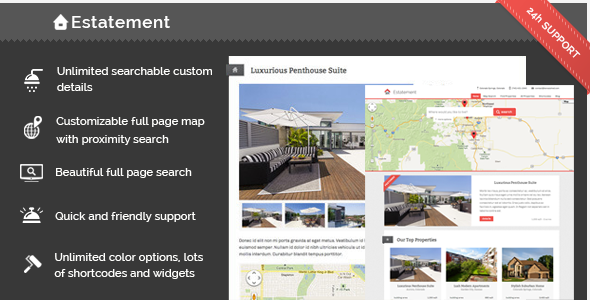


Estatement is an extremely flexible theme for managing real estate properties. It gives you powerful options for displaying your properties and communicating with potential buyers. Our full page search and map based search lets users search your catalogue and gives you the power to add any built in or custom property detail as a search field.
Our numerous shortcodes give you the ability to add tabbed sections, property lists, customizable sliders, messages, buttons and more into any post content! The custom widgets allow you to add property lists, contact information and more to any sidebar.
Powerful contact options include customizable auto-responders to prospective buyers. Contact details (and auto-responder text) can be set globally or for each property individually in case you work with multiple agents.
Estatement property listings allow you to build specific property lists, including only houses, semi-detached houses, apartments, and so on.
How It Works

Map Search

Estatement includes full page map searching with customizable proximity. Users can enter a location and all properties near there will pop up on the map. The pop up contains essential information about the property, allowing the user to click through to the main property page. The proximity can be set by the user between 25 and 500 miles.
We’re continuously adding features to our maps. You can already customize the markers, the map type, the text in the search area and we’re bringing you more features regularly!
Full Page Search

Our awesome search page allows not only looks beautiful it is extremely powerful. You are in complete control of how the user can search your properties. Control the fields shown, control the type of field used and add your own custom search parameters. Want to the user to be able to search based on how far a property is from the subway? No problem!

Fixed Size Map/Search (airbnb style)
Instead of having the map/search page take up the whole page you can also add it to the top any page to create an Airbnb style top section users can use to search your properties.

Featured Properties

Property Lists

Property lists can be added as a custom page template or using shortcodes. Use the page template to create either a central listing of all properties or to narrow down a list to a specific property type or category.
The [propertylist] shortcode can be used to add a list of properties absolutely anywhere you’d like. Choose from three formats, choose the details shown, choose the properties shown, it’s all up to you, 100% customizable.
Showcase Your Properties

Property pages give you all the bells and whistles you need. Add multiple images for a beautiful mobile ready slider, display all the property details, add custom maps, create tabbed sections, insert shortcodes (like a slider!) into the tabs, and so much more!
Viewers will be able to contact you from each property page. You can select different contact details and auto-responders for each contact page to maximize the efficiency of your listings.
Basic Multiple Agent Support
We have a lot planned for multiple agent support and with version 2.3 we’ve started to build some features in. For now Estatement has basic support for multiple agents but we plan to add more soon.
You can create separate contact details for each property and you can assign each property to a different agent (user). Agents have their own page which lists their properties and their information.

Embed Any Content
You can include content from many sources by just pasting a link to it. Youtube, Vimeo, Soundcloud, Twitter, Instagram, Smugmug, Photobucket and more!
Just copy paste the link to the item you want to share and the embed link will be generated for you. No more messing about with embeds, iframes and other ugly things like that.
Customization
Estatement supports the Live Theme Preview customizer built into WordPress 3.5+ It enables you to make changes to your theme and view the result as you’re modifying the colors. With 42 options (and counting…) to modify you’ll be able to tailor the website to your style.

Widgets & Shortcodes
Estatement comes chock-full of custom widgets and shortcodes, here’s a quick list:
- Widgets
- Custom Contact Widget
- Twitter Widget
- Featured Item Widget
- Properties Widget
- Custom Latest Posts Widget
- Agent Contact Widget
- Property Contact
- Property Details Widget
- Shortcodes
- Google Maps
- Content Columns
- Tabbed Content
- Content Accordion
- Slideshow
- Property List
- Highlight
- Buttons
- Messages
- Lines
Post & Page Options
To make sure you can add your properties, posts, pages and content easily we’ve created an intuitive and lightning fast options section on each page.
Apart from giving you granular control over your website it also has full documentation for the section shown, inline documentation for every option, full shortcode documentation and links to the support center, knowledgebase and announcements blog.

Full Feature List
-
Advanced property management features
- Built in details like price, area, room count, location details and more
- Create any custom details
- Make any custom detail searchable for the users
- Customize all search fields
- Create beautiful slideshows for all your properties
- Insert maps anywhere
- Insert tabbed content and content accordions
- Set your currency and area units
- Categorize properties and set their type
- Set up featured properties
- Use shortcodes to list properties anywhere
- Choose from different layouts when listing properties
- So much more!
- Fully customizable full-page search
- Customizable full-page background image slideshow
- All search fields can be specified and customized
- Make any custom detail a search field, a dropdown or a range slider
- Basic Multiple Agent Support
- Assign different contact information to each property
- Assign different agents (WordPress users) to each property
- Dedicated agent page listing properties of that agent
- Agent contact widget
- Fully customizable map search
- Customizable map type
- Customizable map markers
- Property preview inside the map
- Proximity search with modifiable radius
-
Fully customizable custom fields
- Add any custom fields to properties
- Add any custom fields to the search
- Select different field types for your custom data
- Customizable formatting for each field (number format, text)
- Separate prefixes and suffixes for each field
- Maps and search sections can be added to the top of any page to get an “Airbnb” style search page
- Frontend and backend is translation ready
- Unlimited Colors for many elements
- WordPress Theme Customizer with Live Preview
- Choose from over 500+ fonts via Google Web Fonts
- Create custom sidebars and assign them to each post and page individually
- Custom Shortcodes
- Google Maps
- Content Columns
- Tabbed Content
- Content Accordion
- Slideshow
- Property List
- Highlight
- Buttons
- Messages
- Lines
- Sidebar
- Custom Widgets
- Custom Contact Widget
- Agent Contact Widget
- Property Contact
- Property Details Widget
- Twitter Widget
- Featured Item Widget
- Latest properties Widget
- Threaded comments
- Include a page when there are no search results
- Add analytics code easily
- Contact Form 7 Compatible
- Mailchimp Compatible
- Commenting can be enabled/disabled for properties
- Create custom columns for maximum flexibility
- Custom lightbox galleries
- Tableless responsive design
- Coded with SEO in mind
- All images retina ready
-
Fully customizable header
- Custom logo
- Custom contact details
- Custom menus
- Customizable background which supports large fixed images
- Fully customizable footer
- Widgetized footer
- Create unlimited sidebars
Help & Support
We’re a friendly bunch here at Bonsai Shed and we’d like to provide you with first class support. We aim to respond to any support request in our Support Center within 24-48 hours. We welcome any praise or criticism as well. Our goal is to bring you regular updates based on your feedback.
We have an extensive and ever-growing Knowledgebase and the theme comes with complete documentation. We add general WordPress articles regularly so if WordPress itself is giving you trouble, feel free to take a look!
Since we update our theme regularly you might want to follow our development via our Announcements Blog. If you prefer, you can also subscribe to the Announcements Feed
Estatement has inline documentation on all backend pages with custom meta boxes. Inline documentation is available for shortcodes on all pages and links to our support and help sections can be found on all pages as well.
Changelog
Version 2.3
- Property page sidebar now shows up as a selectable option in property settings
- Made sure empty details don’t show up
- Fixed a no custom fields error message in the custom fields widget
- Made CURL the primary way to retrieve data and file_get_contents the fallback
- Selectable formatting for custom fields
- Slight adjustment to image widths in slider to fix non 100% image problems
- Properly aligned property lists with non 3 divisable items
- Featured item details can now be selected
- Price field is now built in.
- Fixed a bug in the property details widget when all fields are set to show
- Taxonomy archive description slightly modified to look nicer
- No search results message for maps can be turned off
- Single property page ribbon can now take custom field data
- Added basic support for agents
Version 2.2
- Widgetized property details and contact form
- Automatic formating of numbers
- Option added to condensed location into one field in the sidebar widget
- Added condensed location into listing pages
- Added condensed location into the properylist shortcode
- Footer and Footer bar can now be removed
- Added ordering capabilities to the propertylist shortcode
- Sliders in hidden tabs now work
- Featured item slider is now jQuery based to sidestep some Chrome background animation bugs
Version 2.1
- Fixes for greek language output
- Modified the default suffix for acres to include a space
- Modified picture quality function to be php 5.2 compatible
- Renamed some of the default custom fields to prevent data duplication
- Twitter feed modifications to support non latin characters
- Made some fields undeletable fields. These can still be renamed but can not be deleted.
- Excluded location data from the details list, it is now only under location.
- Added description and title to custom taxonomy archives
Version 2.0
- Properties icon bug for retina devices fixed
- Added editable custom fields
- Custom fields can be added to thepropertylist shortcode
- Custom fields can now be selected for listings
- Removed unit options
- Added option to add comments to properties
- Added lightbox galleries
Version 1.3
- No results message for the map page can now be specified
- Map can be set to automatically start at the user’s location
- New loading animation for loading properties on the map
- Fixed a bug related to special characters (eg: greek letters )
- Added .po files for language translations
- Added non-full page option to map page
- Added non-full page option to search page
Version 1.2
- Added latitude and longitude fields to the properties’ settings
- Added map type selector to the map page settings
- Added a default map location option
- Better map experience on small screens
- New map marker icon
- Customizable map marker icon
- Search is performed on load for the default map location
- Added some additional inline documentation
Version 1.1
- Added full page map search
- Added the include and columns parameters to the propertylist shortcode
- Added Google API key settings to the customizer


