Mobbern - phpBB3 & phpBB3.1 Responsive Theme TFx
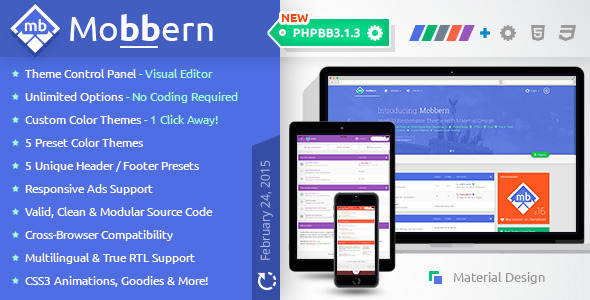




Mobbern is a highly customizable, feature-rich, responsive & Retina Ready phpBB3 and phpBB3.1 Theme that comes with a smart Theme Control Panel to provide a wide variety of customizable options.
Package Includes:
- Mobbern          -  phpBB3.0 Mobbern Theme
- Mobbern3.1       -  phpBB3.1 Mobbern Theme
- mobbernTCP3.1    -  phpBB3.1 Theme Control Panel Extension for Mobbern
- mobbern-theme-cp -  phpBB3.0 Theme Control Panel MOD for Mobbern
- Documentation    -  Offline Documentation for both versions
We are living in a material world, which is why Mobbern was designed with touches of Google’s new Material Design!
Be one step ahead of the competition with this premium theme!

Mobbern is built on the popular Bootstrap 3.2 framework and it’s using the latest web technologies to provide an unified cross-device & cross-browser experience.
Furthermore it ensures backwards compatibility to old browsers, making your forum available for even more users from all over the world!
Coded using object oriented PHP, jQuery, valid HTML5 & CSS3.
Easy to Customize, Well Documented and with an Unmatched fast Support!
This theme will give that professional modern look to your phpBB3 forum!
Quick Preview
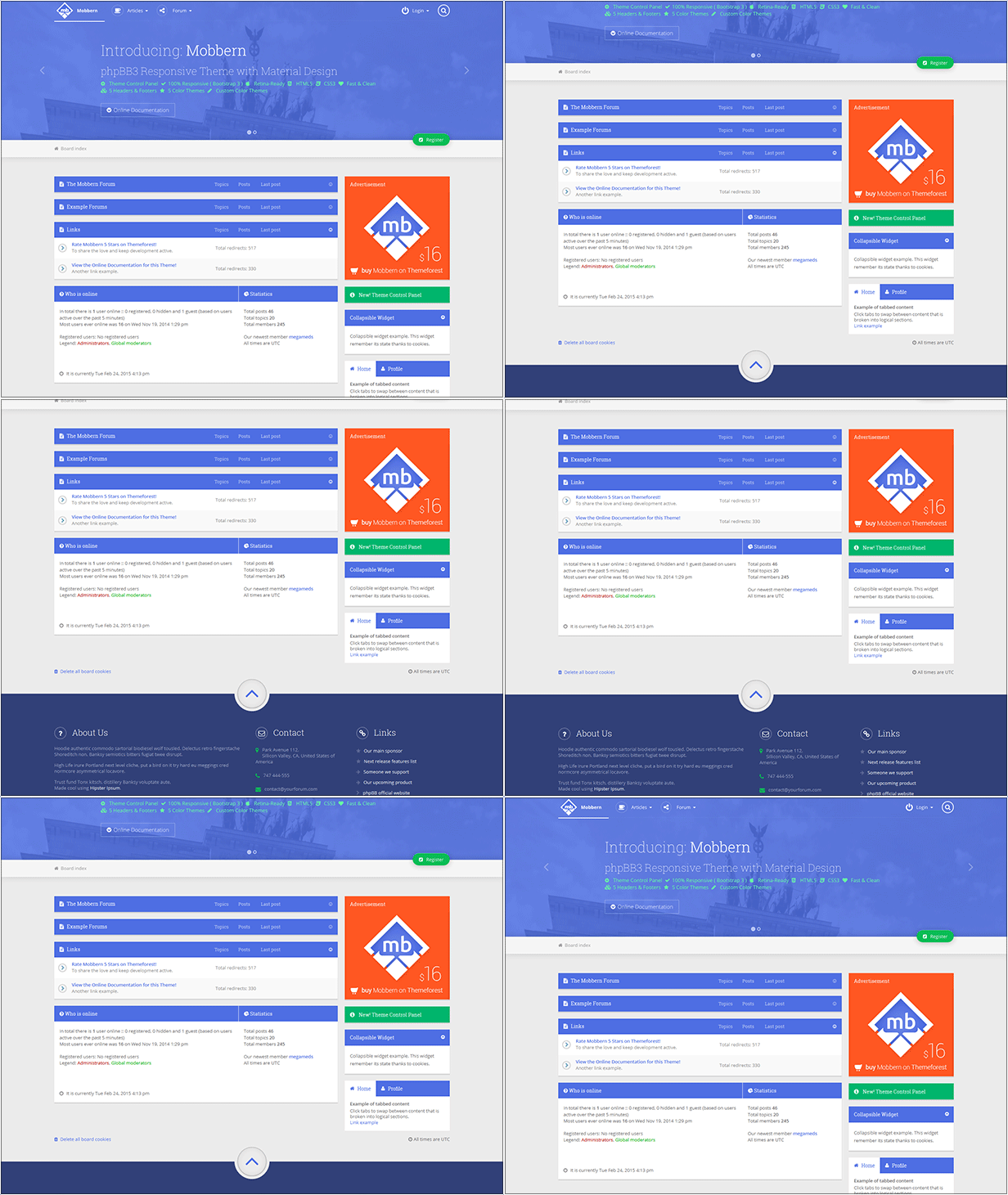
For more preview options see the Theme Customizer available by clicking the ‘cog’ icon in the bottom-left corner of the Demo Forum.
You can also look at the Theme Control Panel Demo. Your settings will not be saved, but you can preview the custom color themes feature live on the Control Panel Page.
Product Highlights
 |
Up to DateMobbern is implementing the newest technologies faster than any other theme on the market. phpBB 3.1 | Material Design | Bootstrap | HTML 5 |
 |
Responsive & Mobile ReadyYour forum will look good on any device – desktop, tablet or smartphone. |
 |
Responsive Ads SupportMobbern is ready to display Ads in the Header, the Footer or in the page body. |
 |
Theme Control PanelCustomize your forum visually. No more headache from source code edits. Make your own Custom Color Themes with one click, and pick one of the 5 Preset Headers and Footers. |
 |
Readable CodeThe source code is clean, well structured and commented. The JavaScript code is not compiled. Valid HTML5 & CSS3. |
 |
Retina & QHD 2K GraphicsThe theme is using font-icons and SVG (scalable vector graphics) images to look sharp on a high-definition display. |
 |
MultilingualSupports all language packs by default. |
 |
Full Documentation and Fast Support
The documentation file provide clear step by step instructions and video examples to get you started with the Mobbern theme. |
 |
 |
Technologies
PhpBB 3.1
PhpBB3.1 is a modern complete rewrite of the previous phpBB forum software, available since October 28, 2014.
It features many improvements for users, administrators, and developers such as OAuth logins, Gravatars, Ajax and a new notification system.
The biggest change is the new Extensions system, which replaces the old and outdated Modifications. The Extensions system makes updating phpBB and 3rd party code a breeze and you can finally customize and extend your forum’s functionality without modifying source code.
phpBB3.1 Ascraeus is also the most stable and secure release of phpBB.
The well tested and widely used Symfony components have replaced some of the underlying foundations of phpBB to make it provide the best forum experience ever.
Mobbern is one of the first themes to fully support the awesome new phpBB3.1!
The phpBB 3.1 version of Mobbern was written from scratch, and we also developed the Theme Control Panel extension becoming the first author to provide such features.
Bootstrap 3.2
Bootstrap is a free collection of front-end tools for developing responsive websites and web applications. It contains HTML and CSS-based design templates for beatiful typography, forms, buttons, navigation and other interface components, as well as JavaScript extensions. Bootstrap was developed by two programmers at Twitter, as a framework to encourage consistency across internal tools. In August 2011 it was released as open source. Almost three years later it became the No. 1 project on GitHub.
Bootstrap is compatible with the latest versions of all major browsers. It degrades when used on older browsers. Since version 3.0, Bootstrap adopted a mobile-first design approach, emphasizing responsive web design by default.
Thanks to Mobbern, Bootstrap 3.2 is empowering the phpBB3 forums!HTML5 & CSS3
HTML5 is a core technology markup language of the internet used for structuring and presenting content for the World Wide Web with support for the latest multimedia while keeping it easily readable by humans and consistently understood by computer and devices.
In particular HTML 5 adds many new syntactic features. This include the integration of scalable vector graphics (SVG) content which enable web graphics to look sharp on high definition screens like the new QHD 2K standard for mobile phones.
Other new elements are designed to enrich the semantic content of documents.
Together with HTML5 comes CSS3, with built-in support for rounded corners, semi-transparent elements(rgba), transitions, 3d transforms, beautiful fonts and much more!
Full Features List
- Theme Control Panel – Advanced Visual Customizer with more than 50 Options
- Google Fonts Ready
- Font Awesome Font Icons
- Custom Forum Icons
- Redesigned Template Files (Forum View, Profile Page, User Control Panel, etc…)
- 100% Responsive
- Modular Intuitive Templating Structure
- Responsive Ads Support:
- Ads in the Header
- In-Page Ads
- Ads in the Footer
- Retina Ready
- Translation Ready with RTL Languages Support
- Smart Collapsible Panels (cookies-enabled to remember state)
- Color Themes (5 Preset):
- Azure (Default)
- Emerald – green
- Slate – grey blue
- Tomato – red orange
- Lilac – violet
- Custom Color Themes – via the Theme Control Panel
- Default Layout
- Full Width Layout
- Fixed Width Layout
- No-Sidebar Layout
- Special/Ad Widget
- Single-line Notification
- Collapsible Widget
- Tabs Widget
- Big Header with Transparent Navbar
- Normal Header
- Big Header
- Header with space for Ads
- Minimal Header – Navbar
- Complex Footer – with 3 Editable Columns
- Alternative 3 Columns Footer
- 4 Columns Footer
- Footer with space for Ads
- Minimal Footer
- CSS3: Animated Search Input in the Navbar
- CSS3: Animated Back-to-Top button in the Footer
- jQuery: Smooth Back-to-Top Scroll Animation
- jQuery: Smooth Scrolling
- jQuery: Lazy Loading Icons
- jQuery: Smart Sticky Navbar
Customizable Options List
General Options- Scroll Options:
- Enable/Disable Custom Srollbar
- Enable/Disable Smooth Scroll
- Enable/Disable Body Auto Scrolling Effect on Fixed Navbar Trigger
- Logo Options:
- Logo Text
- Logo Font
- Logo Icon – Font Awesome Icon
- Logo Image – Recommended: 256×256 PNG
- Forum Favicon
- Edit Social Links:
- Facebook Page Link
- Google Plus Page Link
- Twitter Profile Link
- Linked In Page Link
- Pinterest Link
- Wordpress Blog Link
- Youtube Channel Link
- Edit Footer Copyright Info
- Color Theme:
- Color Preset
- Custom Color Theme
- Body Background:
- Background Image URL
- Background Color
- Typography:
- Google Fonts URL
- Text Font Family
- Headers Font Family
- Default Font Size
- Layout Options:
- Enable/Disable Full Width Layout
- Container Width in Pixels(Fixed Width Layout)
- Show/Hide Sidebar
- Set Header Preset
- Set Footer Preset
- Enable/Disable Borders Sitewide
- Custom Menus:
- Custom Menu 1 – Title
- Custom Menu 1 – URL
- Custom Menu 1 – Icon
- Custom Menu 2 – Title
- Custom Menu 2 – URL
- Custom Menu 2 – Icon
- Custom Menu 3 – Title
- Custom Menu 3 – URL
- Custom Menu 3 – Icon
- Show/Hide Icons for Menu Items
- Show/Hide Menu Icon borders
- Enable/Disable the Mega Menu
- Special/Ad Widget:
- Show/Hide the widget
- Set the Title
- Image URL
- Set the Link when the user clicks the Image
- Notification Widget:
- Show/Hide the widget
- Set the Message of the Notification
- Set the Link
- Collapsible Widget:
- Show/Hide Widget
- Set the Title
- Type the content (text) of the widget.
- Tabs Widget (Show/Hide)
- Static Text Widget:
- Show/Hide the Widget
- Set the Title
- Type the content (text) of the widget.
- Show/Hide Ads in the Header
- Show/Hide Ads in the Footer
- Show/Hide In-Page Ads
Changelog
3.03 & 3.13 – MAINTENANCE RELEASE – NEW PHPBB3 VERSIONS – 13/02/15
*FIXES
  - fixed autologin cut text issue in login-box [phpBB3.0]
  - fixed unstyled navigation buttons [phpBB3.0] :
    - ucp_attachments.html
    - mcp_reports.html
    - mcp_queue.html
  - fixed missing full-width footer in posting pages [both versions]
  - fixed small design glitches [both versions]
*CHANGES
  - Mobbern updated to support phpBB3.0.13-PL1
  - Mobbern3.1 updated to support phpBB3.1.3
*ADDS
  - Added 'Update' folder with the files required to update
3.02 & 3.12 – PATCH AND UPDATES – 28/01/15
*FIXES
  - fixed TCP extension setttings and admin log-in [phpBB3.1]
  - fixed TCP extension redirect to a page with broken CSS [phpBB3.1]
  - fixed TCP sidebar options not working [phpBB3.1]
  - fixed mcp_topic.html template error [phpBB3.0]
  - fixed responsive images in posts [both versions]
  - fixed Private Messages bugs [phpBB3.1]
  - fixed bug with hidden password box [phpBB3.1]
    - ucp_profile_reg_details.html
  - fixed breadcrumb links container width issue [phpBB3.1]
*CHANGES
  - Updated the Azure color theme - Azure 2.0 [both versions]
  - Improved Material Design Implementation [both versions]
  - Improved Slider Design [both versions]
  - improved TCP with Font Awesome Icons [phpBB3.1]
  - Improved Documentation with screencasts & more [docs]
*ADDS
  - updated to Font Awesome 4.3.0 [both versions]
  - added smooth font rendering in Chrome [both versions]
  - added 'Best Practices' section in the Documentation [docs]
  - added style customization file 'style.css' [both versions]
3.01 & 3.11 – PHPBB3.1 THEME CONTROL PANEL – 23/12/2014
* FIXES
  - Fixed post author contact icons [phpBB3.0] :
    - posting_layout.html
  - Fixed forum rules container [both versions] :
    - posting_layout.html
    - viewforum_body.html
    - viewtopic_body.html
* CHANGES
  - Material design for the phpBB Alert [phpBB3.1] :
    - common.css
    - colours.css
  - Material design for the notifications button in "Transparent Navbar" [both versions] :
    - mobbern-responsive.css
  - Improved notifications button (aware of new notifications) [phpBB3.0] :
    - m_header_breadcrumb.html
  - Changed forum category icon from "fa-bars" to "fa-file-text" [both versions] :
    - forumlist_body.html
    - viewforum_body.html
  - Improved navbar transparency fade effect in "Transparent Navbar" [both versions] :
    - mobbern-responsive.css
  - Tweaked CSS bottom border for the navigation bar [both versions] :
    - mobbern.css
* ADDS
  - Added PHPBB3.1 Theme Control Panel Extension.
3.0b & 3.1b – PATCH AND FIXES – 10/12/2014
* FIXES
  - Removed Image not found errors [both versions]
  - Fixed multilingual support for the login menu [both versions] - m_header_navbar.html
  - Fixed vertical pagination problem [phpBB3.1]
  - Fixed notifications page style [phpBB3.1] - ucp_notifications.html
  - Fixed notification drop-down style [phpBB3.1] - notification_dropdown.html
  - Fixed posting template files [phpBB3.1] :
    - posting_attach_body.html
    - posting_body.html
    - posting_editor.html
    - posting_layout.html
    - posting_topic_review.html
    - report_body.html
  - Fixed "message_body.html" template file [phpBB3.1]
  - Fixed "captcha_qa.html" template file [both versions]
* CHANGES
  - Improved notification button (knows when there are new notifications) [phpBB3.1] - m_header_navbar.html
  - Improved RTL Support [both versions]
* ADDS
  - Added built-in support for the Board Boardwatch MOD [phpBB3.0]
3.0 & 3.1 – MAJOR UPDATE – PHPBB3.1 COMPATIBILITY – 27/11/2014
* FIXES
  - Fixed login & register page for mobile version.
  - Sticky menu for mobile version is now smaller and better.
  - Attached images are now responsive.
  - Fixed forum RSS Icon.
  - Fixed subforum icons.
  - More than 25 minor fixes.
* CHANGES
  - Font Awesome Updated to 4.2.0.
  - Added more icons leading to better design.
  - New template files naming convention to avoid conflicts (m_file_name).
  - Changed CSS file names.
  - Updated Documentation.
* ADDS
  - Added user menu at the right of the menu bar.
  - Added drop-down notification menu at the right of the breadcrumb.
  - Added Header carousel support.
  - Added unique class attribute to every important panel.
  - Added PHPBB3.1 Compatibility.
1.6 – MINOR UPDATE 23/10/2014
* FIXES
  - Fixed CSS Font Size in various pages
  - Fixed bug with Menu Icons in Theme Control Panel for Custom Menu Items
* CHANGES
  - Updated Documentation
1.5 – FIRST UPDATE 17/10/2014
* FIXES
  - Fixed issues, update template and theme files
  - Fixed bug with static navigation bar
  - Fixed bug when pop-up windows would ignore theme style
  - Fixed responsiveness Issues
* CHANGES
  - Improved Typography
  - Round Profile Pictures (Avatar)
  - Improved Footer Content
  - Improved Documentation
  - Modularized Sidebar via the Template File "sidebar-right.html"
* ADDS
  - Template files for Ads :
    - ads-code-footer.html
    - ads-code-header.html
    - ads-code-inpage.html
  - In-Page Ads Support
  - Theme Control Panel
  - 2 New Header Presets :
    - Header with Transparent Navbar
    - Normal Header
  - 2 New Footer Presets :
    - Alternative 3 Columns Footer
    - 4 Columns Footer
  - Full-Width and Fixed Width Layout Options
  - Favicon Support
  - Logo Image Support
  - Custom Menu Items and Sidebar Widgets via the Theme Control Panel
  - Custom Color Theme (with color picker) Support via the Theme Control Panel
  - Modular Menu Bar via the Template File "header-navbar.html"
1.0 – INITIAL RELEASE 07/10/2014