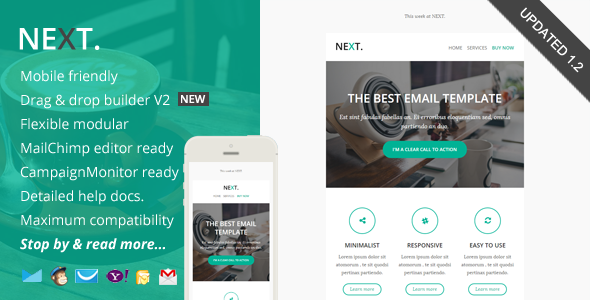

| Created | 31 January 15 |
| Last Update | 31 January 15 |
| Compatible Browsers | Gmail, Yahoo Mail, Microsoft Outlook, Thunderbird, Hotmail, Apple Mail |
| ThemeForest Files Included | Layered PSD, HTML Files |
| Columns | 3 |
| Documentation | Unrated |
| Layout | Responsive |
| Tags | Aweber, campaign monitor, clean email, corporate newsletter, drag and drop email, email template builder, getresponse, mailchimp, marketing, multipurpose email, mymail template, newsletter template, responsive email, responsive newsletter |
| Package Tracking Service | Next, Responsive Email with Online Editor Access TFxReviewed by Fxtheme |
| Rating : | 8.3/10 . |

|
Drag and Drop Theme Builder / Editor
Drag & drop, add, remove, arrange modules easily. Customize the color schemes, edit both text and image content. Download it in .zip file contain regular HTML and image files |
|
|
MailChimp Ready
Add & remove modules or hide elements, easily with MailChimp editor. You can also set the theme color directly via MailChimp editor. There’s a detailed instructions from how to upload and setup template in to your MailChimp account, customize it, up to sending & testing Email. |
|
|
Campaign Monitor Ready
Add or remove modules easily with Campaign Monitor editor. There’s also a detailed instructions (including video) from how to upload and setup template in to your Campaign Monitor account,customize it, up to sending & testing Email. |
|
|
MyMail WP Plugin Ready
Add or remove modules easily with MyMail plugin editor. You can also set the theme color directly via the editor. There’s also a detailed instructions (including video) from how to upload and setup template in to your WordPress website, customize it, up to sending & testing Email. |
|
- Free access to our new, simple, easy-to-use Template Builder.
- Maximum clients compatibily, in all major email clients. From old Classic Yahoo! Mail, up to the most used clients like Apple iPhone.
- Bulletproof background images (in all major email clients including Outlook)
- Mobile friendly, coded with media query CSS
- Well-commented codes
- Ready for Campaign Monitor, MailChimp, and MyMail plugin powerful template editor!
- 11 unique flexible modular that you can very easy to remix them to create your own layout.
- Flexible button with inline CSS (guide to create your own button, see next section). Very easy to make your own button and flexible to place it as your needs.
- On-going support along with detailed help documentation files (including the video) – (cover how to work with PSD file, up to sending email with most popular email marketing services like MailChimp, GetResponse, Campaign Monitor, AWeber, MyMail plugin, and how to create your own button).
- Major email inbox compatible (test both direct and tool). Direct test on my Android 4.1.2 phone, iPhone mail, Gmail (IE, Chrome, Firefox, Safari), Yahoo Mail (Chrome, Firefox, Safari), Outlook 2010, Windows Live Mail. Online test using Inbox inspector from Getresponse
- Easy to copy, add or remove modules with clear comments in codes. Even you can mix and create your own layout variations while everything is still working properly. For MailChimp and Campaign Monitor users, add, remove, move, edit blocks content via their powerful editor.
- Sliced PSD file included.
- Total 5 HTML files, with 1 mixed modules variations.
- 1 HTML files for MailChimp templates (in separated folder)
- 1 HTML files for Campaign Monitor templates (in separated folder)
- 2 HTML files for MyMail WP plugin templates (in separated folder)
- and 1 other for regular HTML templates
- 1 PSD file
- Image files, in the “images” folder in each of layout and color variations.
- Help Docs – Including video.
- Android
- AOL Mail Chrome
- AOL Mail Explorer
- AOL Mail Firefox
- Apple Mail
- Gmail
- Hotmail
- iPad
- iPhone 3, 4 and 5
- Mozilla Thunderbird
- Opera Mail
- Outlook 2010
- Outlook 2013
- Outlook.fxtheme.com
- Windows Live Mail
- Yahoo! Mail
- And mostly all clients that render valid HTML