

| Created | 23 July 15 |
| Last Update | 23 July 15 |
| High Resolution | Yes |
| Widget Ready | Yes |
| Compatible Browsers | IE9, IE10, IE11, Firefox, Safari, Opera, Chrome |
| Compatible With | WPML, WooCommerce 2.3.x |
| Framework | Underscores |
| Software Version | WordPress 4.2 |
| ThemeForest Files Included | PHP Files, CSS Files, JS Files |
| Columns | 4+ |
| Documentation | Well Documented |
| Layout | Responsive |
| Tags | clean, colorful, customizer, ecommerce, fashion, mega menu, mobile, modern, responsive, retina, seo, shop, sticky header, store |
| Package Tracking Service | Mogway - Responsive eCommerce WordPress Theme TFxReviewed by Fxtheme |
| Rating : | 9/10 . |

A Responsive WooCommerce Theme For Your eCommerce Site.
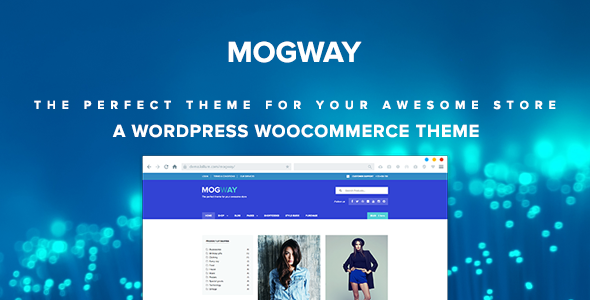
Mogway is the perfect theme for your next WooCommerce project. Based on Underscores and developed with best practices in mind, Mogway offers a deep integration with WooCommerce. Also, Mogway doesn’t override any WooCommerce template file. It uses only hooks and filters to ensure as much support as possible for plugins across the WooCommerce ecosystem. Another feature of Mogway, is the use of the native Wordpress Customizer to include the customization options, so you can preview the changes on the fly.
If you like Mogway, please don’t forget to rate it!
Main features of Mogway are:- WooCommerce Support
- Schema.org Optimized
- WordPress Best Practices
- Wordpress Customizer support
- Intelligent Responsive Admin Panel
- Retina-Ready on Graphics
- Clean Code
- Translation Ready (.po included)
- Video Tutorials
- Cross Browser Support
- Theme Child Ready (included)
The sample images viewed in the live preview are for demo purposes only and are not included with your purchase. The font used in the theme’s demo (Proxima Nova) demonstrates the integration with Typekit.fxtheme.com, which is a premium service for serving professional web fonts from Adobe. Proxima Nova is not included in the theme. But you can try the demo with Arimo, a similar free font included in Mogway.
Video TutorialsMogway comes with it’s own extensive documentation, complete with screenshots and video tutorials. Many support related questions can be answered simply by reading the documentation and watching the video tutorials. So, please take the time to read through the documentation included in the theme zip package.
If you still have any problems please send support requests via ticket here:
lollum.ticksy.fxtheme.com
But please check if you have the same issue with the default WordPress theme (Twenty Fifteen) before to ask.
Please note, this is the only place to get support for my themes. And due to the large amount of support questions, free support is provided only for bugs and theme related issues. No theme customizations.
Support requests are being processed on business days from 10:00 to 18:00 (GMT +1), within 24h/48h in the order they were received.
Please include the website URL and detailed information about your problem.
Scope of supportI can help you with:
- Responding to questions or problems regarding the item and its features
- Fixing bugs and reported issues
- Providing updates to ensure compatibility with new software versions
I can’t help you with:
- Move the element “X” or change the color of the element “Y”
- General questions about WooCommerce (please use wordpress.org for that)
- WordPress general howto’s (please, use wordpress.org for that)
- Customization and installation services
- Support for third party software and plug-ins (WooCommerce extensions included)
- Individual server issues
- WordPress – https://wordpress.org/.
- WooCommerce – http://www.woothemes.fxtheme.com/woocommerce/.
- Font Awesome by Dave Gandy – http://fortawesome.github.io/Font-Awesome/
- Selectivizr – by Keith Clark
- Flexslider – by WooThemes
- Respond – by Scott Jehl
- HTML5Shiv – by @afarkas @jdalton @jon_neal @rem
- TGM Plugin Activation – by Thomas Griffin and Gary Jones
- Shutterstock – shutterstock.fxtheme.com/
- Photodune – http://photodune.fxtheme.com/
- Typekit – https://typekit.fxtheme.com/
- Google Web Fonts – http://www.google.fxtheme.com/webfonts
- FitVids – by Chris Coyier and Paravel
- Contact Form 7 – by Takayuki Miyoshi
- Envato WordPress Toolkit – by Envato
Thank you very much guys!
Update HistoryMogway v1.0 – Jul 23, 2015
- Initial releaseRelated Posts






