
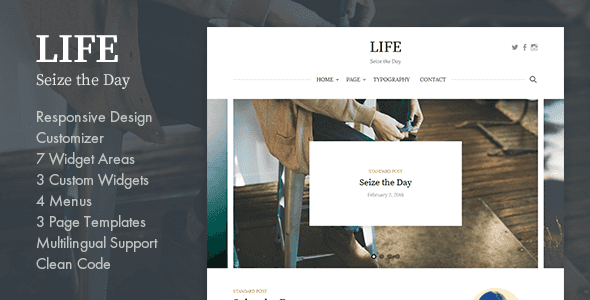

| Created | 11 April 16 |
| Last Update | 11 April 16 |
| High Resolution | Yes |
| Widget Ready | Yes |
| Compatible Browsers | IE9, IE10, IE11, Firefox, Safari, Opera, Chrome, Edge |
| Framework | Underscores |
| Software Version | WordPress 4.4.2, WordPress 4.4.1, WordPress 4.4, WordPress 4.3.1, WordPress 4.3, WordPress 4.2, WordPress 4.1 |
| ThemeForest Files Included | PHP Files, CSS Files, JS Files |
| Columns | 2 |
| Documentation | Well Documented |
| Layout | Responsive |
| Tags | blog, clean, fashion, female, feminine, food, personal, simple, travel, typography, woman |
| Package Tracking Service | Life - Simple WordPress Blog Theme TFxReviewed by Fxtheme |
| Rating : | 7.9/10 . |

From “Customize > Fonts” you can set the header and body text to a variety of fonts.
From “Customize > Colors” you can set link colors.
Site Title & TaglineFrom “Customize > Site Identity” you can set the site title and tagline. You can also hide the tagline.
From “Customize > Title” you can set the title font.
From “Customize > Logo” you can set the logo.
Header Social LinksFrom “Appearance > Menus” or “Customize > Menus” you can configure the menus.
No text is displayed, only icons. If this is unset, the icons will not appear.
Main NavigationFrom “Appearance > Menus” or “Customize > Menus” you can configure the menus.
The page list appears by default if you do not set this.
If you want to hide the main navigation, you can set this from “Customize > Navigation”.
Featured ContentAfter you install Jetpack, “Customize > Featured Content” will appear. From here you can configure the posts you want to be displayed.
First Post Display & Post DisplayFrom “Customize > Posts” you can set how posts are displayed on the blog posts index page. You can also hide elements such as categories, date, author name, comments number, featured image, author profile, and post navigation.
From “Customize > Category Colors” you can set the colors for various categories.
SidebarFrom “Appearance > Widgets” or “Customize > Widgets” you can configure widgets.
This is the normal sidebar. If you do not use this sidebar or Sticky Sidebar, the page will be a one-column design.
Sticky SidebarFrom “Appearance > Widgets” or “Customize > Widgets” you can configure widgets.
Displays while following the PC’s scrolling.
Footer 1 to Footer 4From “Appearance > Widgets” or “Customize > Widgets” you can configure widgets.
From left to right there are 4 sequential footer widget areas, and the width is auto-adjusted based on how many you use. If you do not use a footer widget, nothing will be displayed.
Instagram WidgetFrom “Appearance > Widgets” or “Customize > Widgets” you can configure the “Instagram” widget.
After you install the WP Instagram Widget, the “Instagram” widget is added. You can add to the Instagram Widget area, which you should configure in the manner shown in the image below.
Footer Social LinksFrom “Appearance > Menus” or “Customize > Menus” you can configure the menus.
No text is displayed, only icons. If this is unset, the icons will not appear.
Footer MenuFrom “Appearance > Menus” or “Customize > Menus” you can configure the menus.
If unset, it will not appear.
Footer Text & CreditFrom “Customize > Footer” you can set the footer text. You can also hide the theme credits from here.
Custom CSS & Custom Google FontsFrom “Customize > Custom CSS” you can set custom CSS or Google Fonts.
Related Posts



