

| Created | 26 January 15 |
| Last Update | 26 January 15 |
| High Resolution | Yes |
| Widget Ready | Yes |
| Compatible Browsers | IE9, IE10, IE11, Firefox, Safari, Opera, Chrome |
| Compatible With | WPML, WooCommerce 2.3.x, WooCommerce 2.2.x, Events Calendar |
| Software Version | WordPress 4.1 |
| ThemeForest Files Included | PHP Files, CSS Files, JS Files |
| Columns | 2 |
| Documentation | Well Documented |
| Layout | Responsive |
| Tags | blog, ecommerce, event, events calendar, woocommerce, wordpress, wpml |
| Package Tracking Service | EVENTICA: Event Calendar & Ecommerce For WordPress TFxReviewed by Fxtheme |
| Rating : | 8.9/10 . |

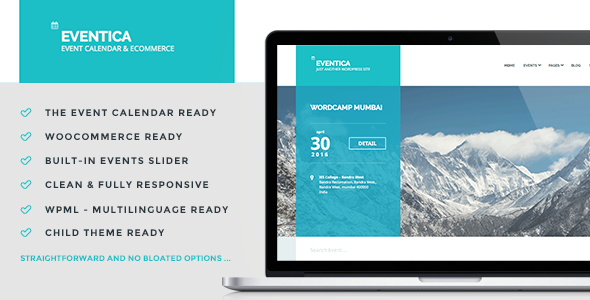
Eventica is Event Calendar and eCommerce WordPress Theme. Ready to use for events listing and online store.
COMPATIBILITY:- WordPress 4.1+ (self-hosted)
- The Evens Calendar 3.9+
- WooCommerce 2.2+, optional, if you want to add online store functionality to your website
This theme is straightforward, no bloated options!
-
The Events Calendar plugin compatible
- Download plugin (Free)
- Event List, click here for demo
- Event Calendar, click here for demo
- Single Event Page, click here for demo
-
WooCommerce plugin compatible
- Download plugin (Free)
- Shop Page, click here for demo
- Single Product Page, click here for demo
-
3 Page Templates
- Homepage Page Template, click here for demo
- Contact Page Template, click here for demo
- Fullwidth Page Template
-
Translation Ready
- .po/.mo file is available
- Codestyling Localization plugin compatible
-
Multilingual Ready
- WPML plugin compatible
- Purchase WPML plugin separately
- White Label Theme Options
- Child Theme Ready
- Custom Header
- WordPress-standard Theme Auto Update
- ... and all standard WordPress features …
-
(VIDEO) WordPress Basics Tutorial
- How to Buy a Domain Name
- How to Buy a Web Hosting Account
- How to Connect your Domain to a Web Hosting Account
- Automatic WordPress Install using Cpanel, Softaculous VS Fantastico
- Installing WordPress Automatically Using cPanel (Fantastico)
- Installing WordPress Automatically Using cPanel (Softaculous)
- Installing WordPress Manually via FTP
- Get a New Wordpress Blog Ready
- How to Change Permalinks Structure
- How to Create New Posts in Wordpress
- How to Create New Pages in Wordpress
- How to Install Themes
- How to Install Plugins
- Control How Visitors Comment
- Understanding Different User Permissions
- Use Wordpress Widgets Effectively
- Create Navigation Menus and Sort Them
- (PDF) Documentation for Eventica, usefull to replicate our theme demo
- (PDF) Documentation for The Events Calendar plugin
- (PDF) Documentation for WooCommerce plugin
- WordPress
- Options Framework
- CMB Metabox
- TGMPA
- BootStrap Grid
- Font Awesome
- Superfish
- Slidebars
- owlCarousel
- gMaps
Images are not included in theme download package.
- Shutterstocks
- Photodune




