

| Created | 28 July 16 |
| Last Update | 28 July 16 |
| High Resolution | Yes |
| Widget Ready | Yes |
| Compatible Browsers | IE10, IE11, Firefox, Safari, Opera, Chrome, Edge |
| Compatible With | WooCommerce 2.5, Visual Composer 4.11.2.1 |
| Software Version | WordPress 4.5.x |
| ThemeForest Files Included | PHP Files, CSS Files, JS Files |
| Columns | 2 |
| Documentation | Well Documented |
| Layout | Responsive |
| Tags | baby, blue, children, creative, gray, grey, hand drawn, kids, light, light blue, painting, shop, sketch, teal, visual composer |
| Package Tracking Service | BoHo Baby Shop TFxReviewed by Fxtheme |
| Rating : | 5.9/10 . |

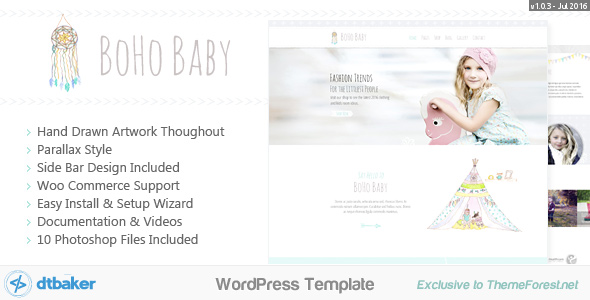
BoHo Baby is a gray and teal coloured website that’s aimed towards the childrens clothing, products and room design market. Although it’s design is quite flexible for many industries. BoHo Baby features hand drawn artwork throughout including a teepee, rocking horse, dolls, bunting flags, hand drawn arrows and more.
Latest Update: Version 1.0.3 on 2016-07-28.
- WordPress 4.5.3 compatible!
- Brand new easy installation wizard – watch the video to see how great this really is. No messing about with tricky settings, just click a few buttons and you’re up and running like the live demo.
- Creative and easily Customizable Design
- No complicated frameworks – if you need to do advanced changes it will be easy
- Visual Composer included.
- Easy sidebar manager (hide/show sidebar on each page, left/right/footer widgets)
- Easy Font Customizer – change sizes, colors, padding and more.
- Professional e-Commerce option with WooCommerce: example
- Responsive CSS Layout – iPhone and Tablet friendly (can be disabled as well)
- LESS files included for some of the CSS files (optional)
- Contact Forms through ContactForm7 plugin: example
- Full Documentation provided – check it out!
- Straight forward CSS and HTML markup making it easy for more advanced users to customize
- Default content included so you can get up and running like the demo site in no time (watch the video to see how easy it really is)
Please click here to view the BoHo Baby Shop documentation.
Quick Setup Guide:
New to websites? Here are the steps you need to follow to get up and running with this website theme.
- Some basic knowledge on how to use WordPress
- WordPress 4.5.3 or above running on your website
- The ability to install WordPress themes and plugins
- Advanced Changes: you will need good PHP/CSS/HTML knowledge or be prepaired to hire someone from Envato Studio to perform advanced modifications for you.
We hope you enjoy this theme, we had a great time making it. Thanks! Changelog:
Here is a list of theme changes:
- Version: 1.0.3 Date: 2016-06-28 – Fix missing image in documentation – Added support for page comments – Removed Unused Code Segments – Removed Inline JavaScript
- Version: 1.0.2 Date: 2016-06-27 – WooCommerce Template Updates – Latest WordPress Compatability – Escaping attribute fields
- Version: 1.0.1 Date: 2016-06-10 – Initial Release
Related Posts



